Identify more insights from your Search Console data
Track SEO performance and keyword rankings with powerful analytics. Identify growth opportunities and monitor organic traffic trends over time. Uncover insights buried in Search Console without the complexity, exporting reports, or fragmented views.
- Unlimited websites
- Keyword Tracking
- Page Groups Analytics
- Branded vs Non-Branded
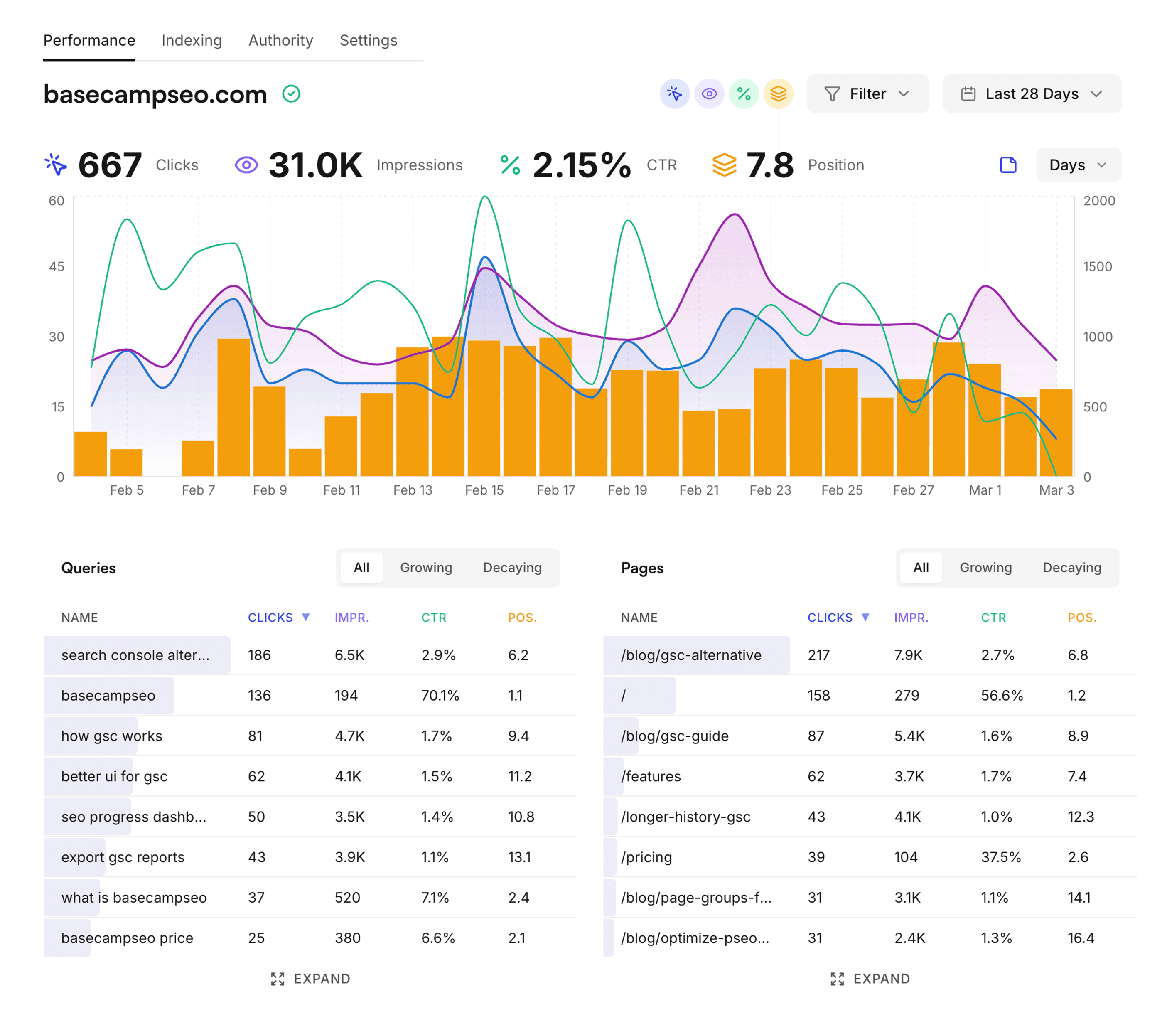
Start understanding your SEO ranking data
Don't waste time dealing with GSC, exporting CSVs and trying to find relevant ways to grow your Google optimization. Uncover all the opportunities, track your keywords and pages to identify growing and decaying trends and get actionable data.
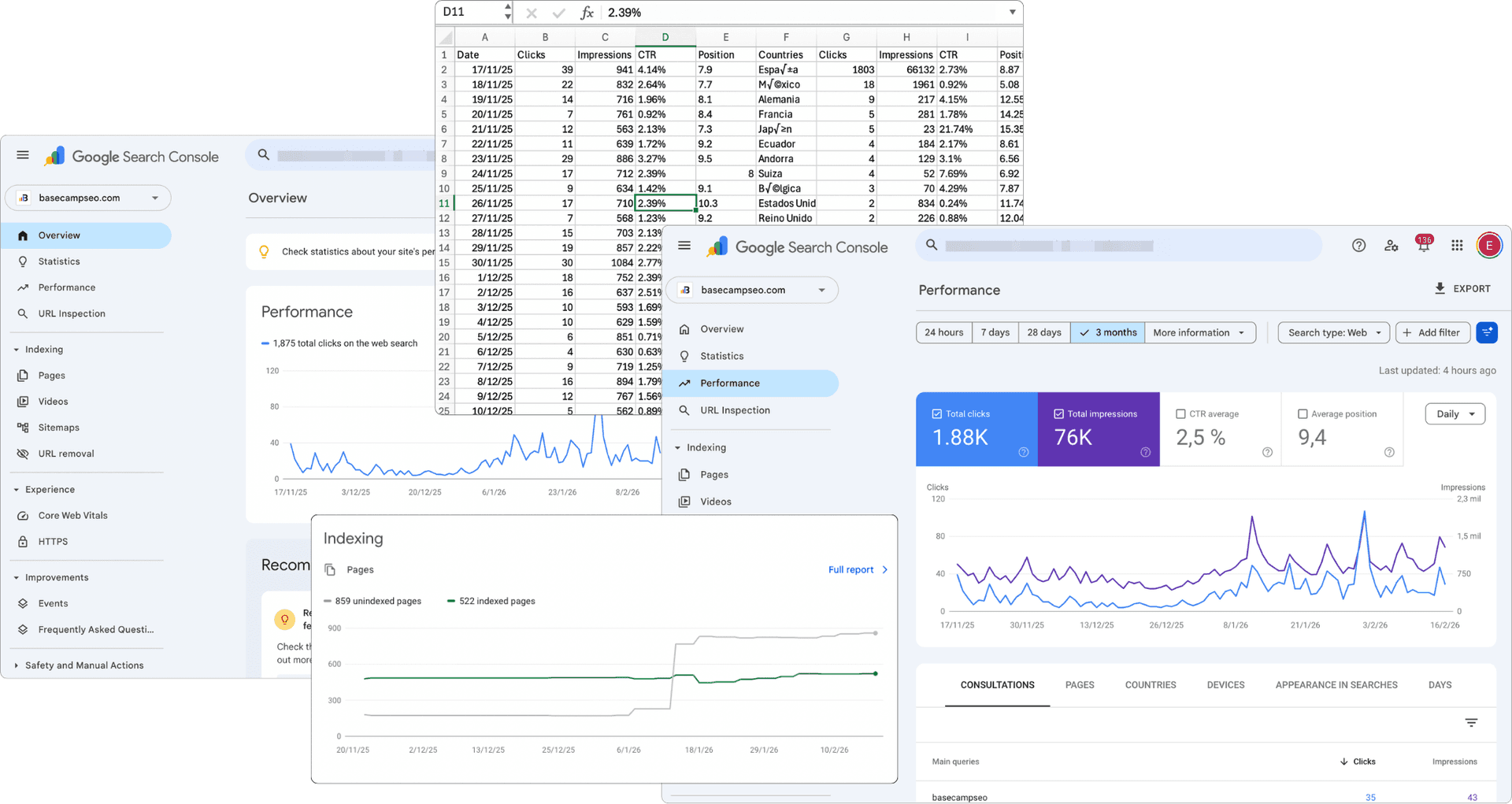
- Stop switching tabs in GSC to understand the data
- No more exporting data to spreadsheets to visualitze it properly
- Identify growth opportunities
- Track keywords and pages
- Growing and decaying trends
- Get actionable data insights
GSC gives you the numbers.
Segment them into context you can act on.
Your overall CTR, avg. position, and total clicks are all mixing very different types of traffic and pages into a single number that is hard to act on. BasecampSEO lets you separate them by brand intent and content type, using the GSC data you already have.
Branded vs. Non-Branded
Define your brand terms once and every query gets classified automatically. From that point you have separate impressions, clicks, CTR, and average position for branded and non-branded traffic.
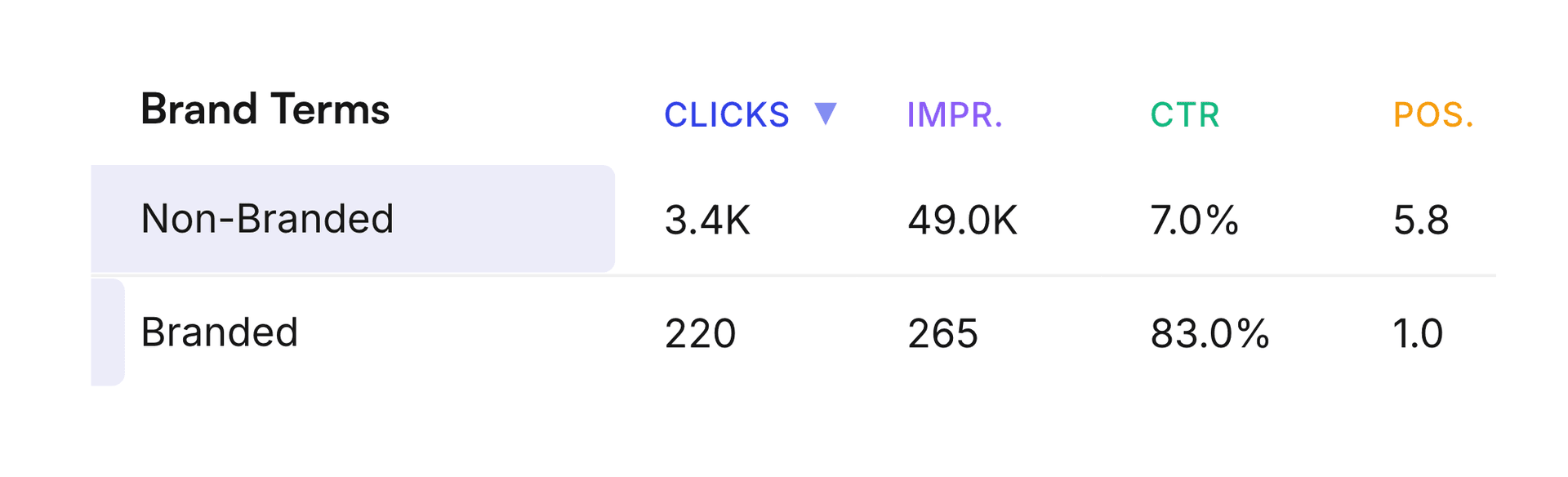
Branded and non-branded queries behave completely differently. If you're measuring overall performance without separating them, you're mixing two very different signals into one number that's hard to act on. Non-branded is where your SEO is actually being tested and where you can make the biggest impact.
Page Group Analytics
Create groups using URL prefixes or regex and BasecampSEO aggregates all GSC data for each group. Compare /blog vs. /comparison vs. /docs as a whole, not page by page.
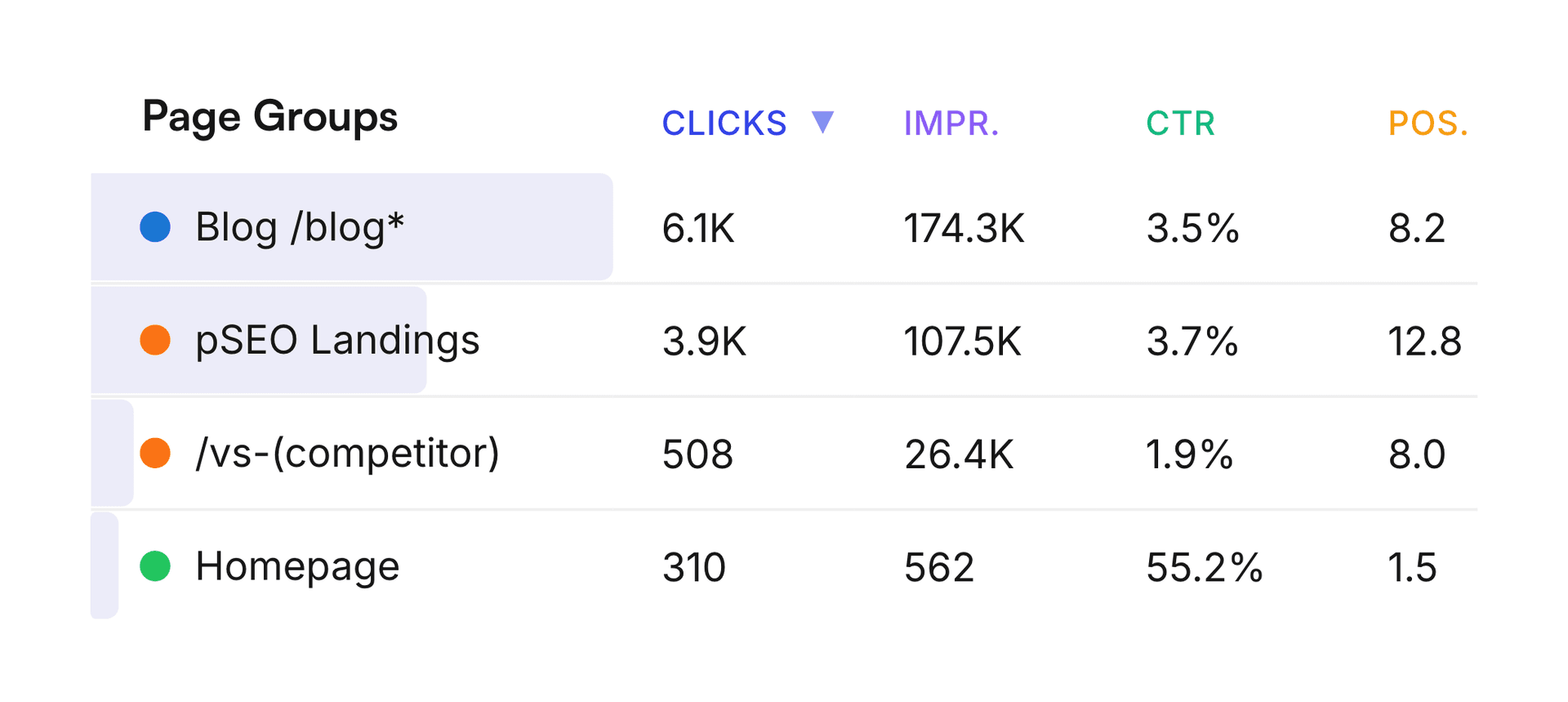
See the aggregate performance of each content type side by side. Spot patterns that are invisible page by page and make content strategy decisions based on data.
Pricing
- Unlimited websites
- Unlimited impressions and clicks
- Multipage analytics
- Brand vs non brand tracking
- Growing and decaying keywords
- Content groups analytics
Monthly
Cancel anytime.
Lifetime
One-time payment. No subscription.
Frequently asked questions
GSC is powerful but fragmented. You're constantly switching tabs, exporting CSVs, and piecing data together manually. BasecampSEO brings all of that into one unified dashboard so you can spot trends, growing or decaying keywords, and growth opportunities without the manual work.
BasecampSEO automatically flags keywords that are gaining or losing impressions and clicks over time. This lets you double down on what's working and address issues before they hurt your traffic, without having to dig through spreadsheets yourself.
Branded keywords are searches that include your company name (people already know you). Non-branded keywords bring in new audiences. Separating them gives you a much clearer picture of whether your SEO is actually growing your reach, a split that GSC doesn't show you natively.
Page Groups lets you group and analyze multiple pages together, for example all your blog posts, all your product pages, or a specific content cluster. Instead of analyzing pages one by one, you see performance patterns across entire sections of your site.
Yes. BasecampSEO supports unlimited websites under a single account. Whether you manage one site or dozens, you can monitor all of them without paying extra.
You simply sign in with your Google account and grant read-only access. That's it, nothing to configure. If you have multiple properties in GSC, you can choose exactly which ones to sync. Read-only means BasecampSEO can never modify, delete, or interfere with your Search Console data or your website in any way. Your data syncs automatically from that point on.
Yes. The monthly plan can be canceled at any time with no penalty, no lock-in periods, and no cancellation fees.